Get to know more about this course
3. Completion and Assessment
To complete the course you need to complete the following activities:
- 'Get to know more about this course' book (what you are reading now).
- 'General discussion forum' where anyone can post or reply to the forum.
Safe Exam Browser Overview
- 'Safe Exam Browser key features'. Be introduced to Safe Exam Browser and the main features it offers.
- 'How SEB works with Moodle'. Find out how SEB mainly works with Moodle LMS.
SEB with Moodle User Roles
- Moodle Roles
- As a Teacher
- As a Student
- As a Site Administrator
Course check
- 'Check your understanding'. Check your understanding quiz, achieving 80% or more.
- 'Provide a feedback'. Answer these short questions.
Completing the activities
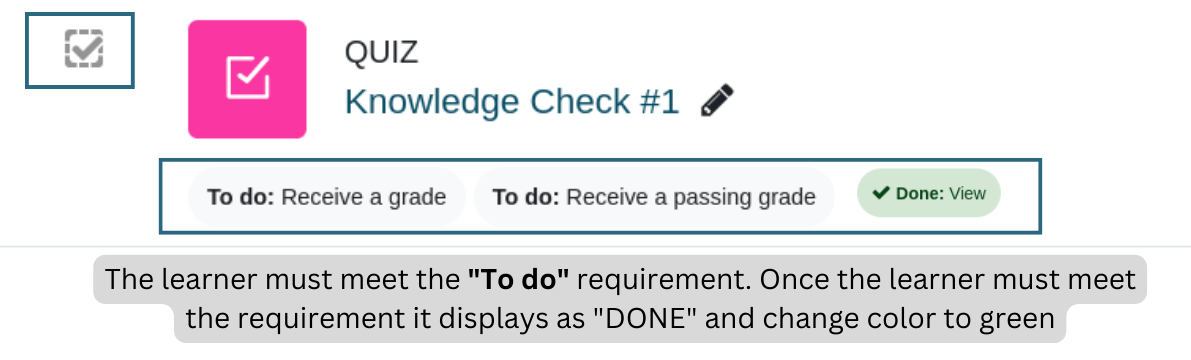
In this course, certain activities are marked as completed automatically based on specific criteria. You can recognize these activities by the "To do" displayed on the course page. For instance, completing a quiz with a passing grade or reaching the end of a lesson would be considered as completed activities.
Course badge
Upon successful completion of this course, you will be automatically awarded the relevant badge to showcase the skills and knowledge you have obtained.